

My Workspace
My Workspace is the central area of Rischio where you create, manage, and organize your engineering models.
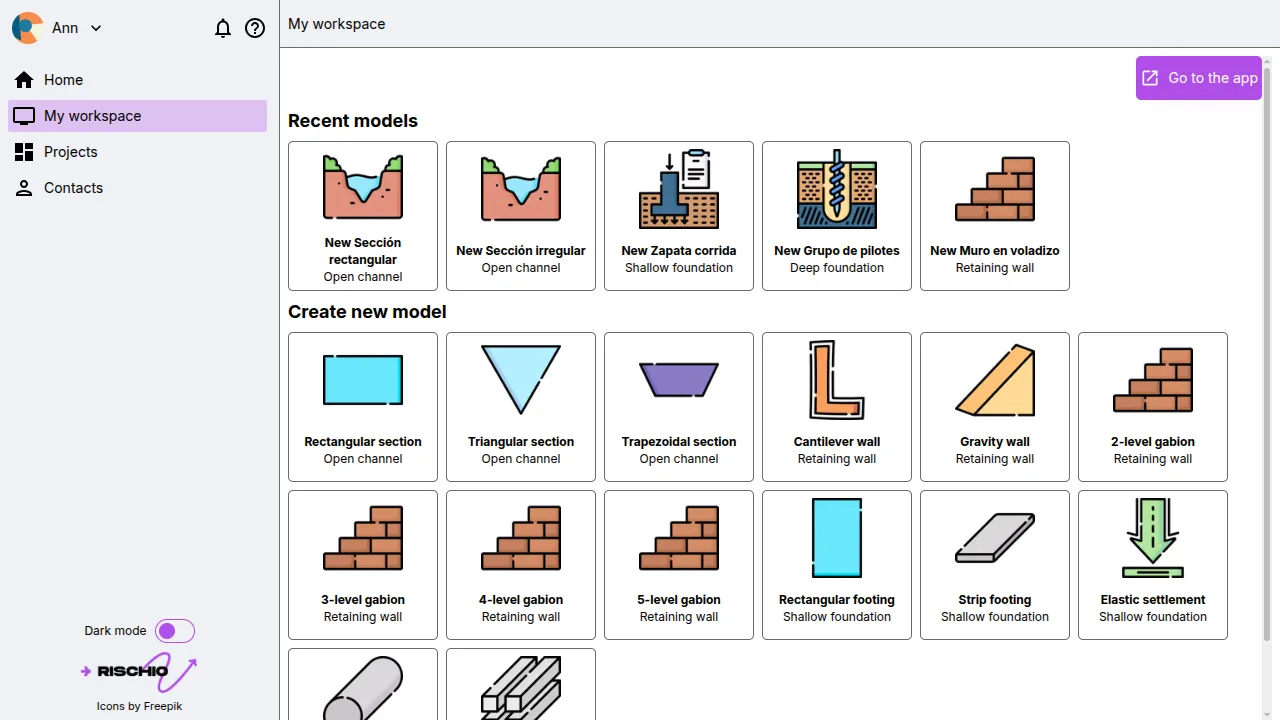
This section serves as your personal modeling environment, providing a clear overview of all the models you have developed or are currently working on. From here, you can start a new analysis or continue editing a previously created model.
Available Model Types
Section titled “Available Model Types”Within My Workspace, you can create models for several geotechnical and hydraulic applications, including:
- Retaining Walls
- Shallow Foundations
- Deep Foundations
- Open Channels
Each model type is based on predefined templates that include the relevant input parameters to make it easier to get started.
Managing Models
Section titled “Managing Models”From this screen, you can either create a new model by selecting one of the available templates or open an existing model that you have previously saved.
Navigation
Section titled “Navigation”In the upper-right corner, you’ll find the Go to App button. Clicking this button takes you directly to the main Rischio application interface, where you can create, edit, run, and visualize your models in detail.
Please note that models created in My Workspace are personal and cannot be shared with other users. If you need to collaborate or store models in a shared environment, refer to the Projects section.