
User Manual
This section provides a detailed description of each feature in the program. It explains how to create, edit, view, and analyze a deep foundation model, as well as how to use the different tools available in the interface.
The purpose of this manual is to serve as a reference for understanding the complete functionality of the software, from the initial project setup to the interpretation of results. You can consult it at any time to resolve specific questions about the use of a feature or workflow.
Input Parameters
Section titled “Input Parameters”Type of Analysis
Section titled “Type of Analysis”Analysis types allow you to add new calculations when running the model.
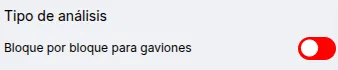
The following analysis types are currently available:
- Block-by-Block for Gabions: This analysis will calculate overturning and sliding stability for each block in a modular structure such as gabion walls.
Foundation Soil
Section titled “Foundation Soil”The foundation soil is used to calculate the bearing capacity and passive earth pressure of the soil. It supports one (1) soil type.
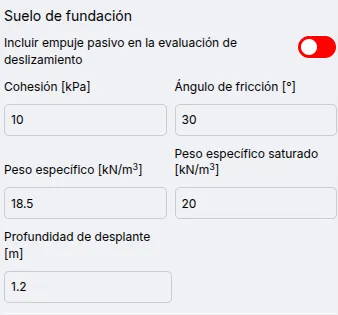
Available parameters for foundation soil are:
- Include passive earth pressure in sliding safety factor evaluation: Calculates and includes passive pressure in the sliding safety factor. Not included for overturning or bearing capacity.
- Cohesion
- Friction angle
- Unit weight
- Saturated unit weight
- Embedment depth
Backfill
Section titled “Backfill”The backfill is used to calculate the active earth pressure acting on the structure. It supports multiple soil layers.
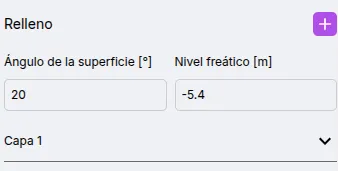
Available parameters for the backfill behind the wall are:
- Surface angle: The angle of the backfill surface, which affects the direction of the active pressure vector.
- Water table level
- Soil layers
Add and Modify Soil Layers
Section titled “Add and Modify Soil Layers”The backfill supports multiple soil layers.
To add a new soil layer, click the button.

Once clicked, a new soil layer will appear in the list.
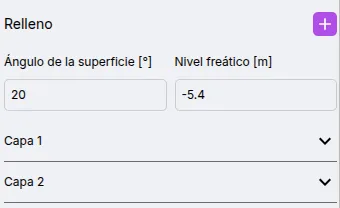
To edit a soil layer’s parameters, click on the layer in the list. You can now view and edit the available parameters.
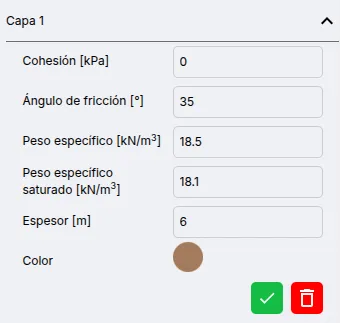
After editing, click the button.

To delete a soil layer, click the button.

Available parameters for soil layers are:
- Cohesion
- Friction angle
- Unit weight
- Saturated unit weight
- Thickness
Structure
Section titled “Structure”The wall structure is composed of stacked elements.
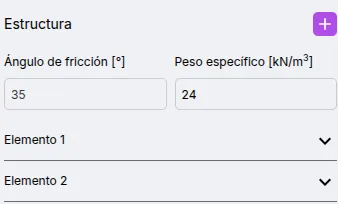
Available parameters for the structure are:
- Friction angle: Only for sliding evaluation in gabions. Used to calculate base friction.
- Unit weight: Corresponding to the structural material.
Add and Modify Structural Elements
Section titled “Add and Modify Structural Elements”To add a new structural element, click the button.

Once clicked, a new structural element will appear in the list.
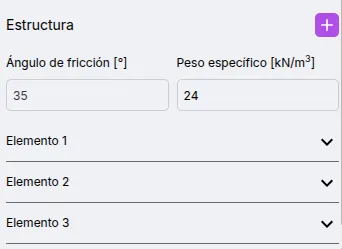
To edit a structural element’s parameters, click on the element in the list. You can now view and edit the available parameters.
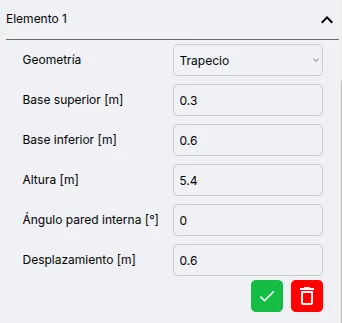
After editing, click the button.
To delete a structural element, click the button.
Available parameters for structural elements are:
- Geometry: Allows selection between rectangle and trapezoid.
- Top base: Only for trapezoid.
- Bottom base: Only for trapezoid.
- Height
- Internal wall angle: Only for trapezoid. Measured from the vertical, counterclockwise.
- Offset: Horizontally shifts the element.
Results
Section titled “Results”Geometry
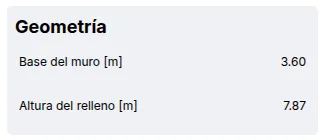
Section titled “Geometry”Contains the main values that define the shape of the wall:
- Wall base (B)
- Backfill height (H’): When the backfill surface angle is 0°, this value corresponds only to the structure height. However, if the angle is greater than 0°, it also considers the soil segment above the wall up to the outer edge of the structure.
Lateral Earth Pressure
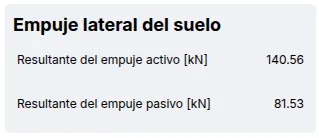
Section titled “Lateral Earth Pressure”Displays the pressures acting on the wall:
- Active pressure: Corresponds to the active pressure vector, whose direction follows the backfill surface slope. It is decomposed into horizontal and vertical components for analysis. Also includes hydrostatic pressure if the backfill is saturated.
- Passive pressure: Corresponds to the passive pressure vector, including hydrostatic pressure.
Force and Moment Calculations
Section titled “Force and Moment Calculations”Presents the calculation of forces and moments for each element composing the wall, including any soil considered part of the structure. Then it provides a summary of net vertical load, resisting moment, and overturning moment.

Overturning Evaluation
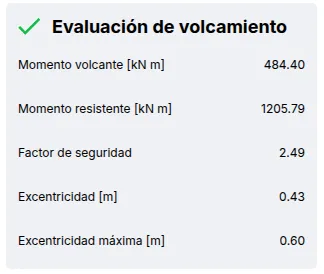
Section titled “Overturning Evaluation”Based on the previous results, the safety factor and load eccentricity are calculated. The safety factor is compared against 2.0.
Sliding Evaluation
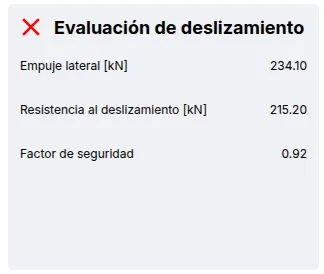
Section titled “Sliding Evaluation”Based on the previous results, the safety factor is calculated and compared against 1.5.
Bearing Capacity Evaluation
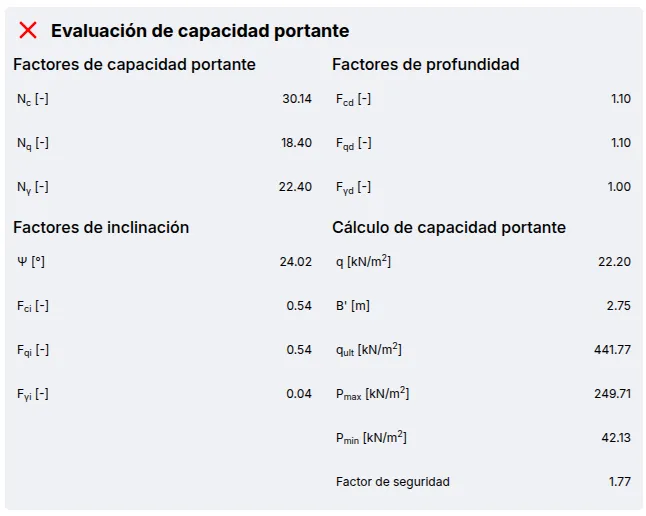
Section titled “Bearing Capacity Evaluation”Based on the previous results, the safety factor is calculated and compared against 3.0.
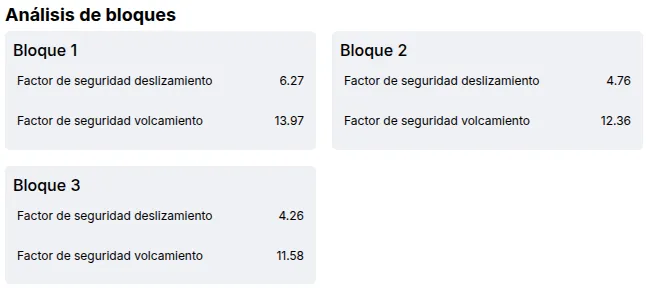
Block-by-Block Analysis
Section titled “Block-by-Block Analysis”Presents the results of the block-by-block analysis.