
User Manual
This section provides a detailed description of each feature in the program. It explains how to create, edit, view, and analyze an open channel model, as well as how to use the different tools available in the interface.
The purpose of this manual is to serve as a reference for understanding the complete functionality of the software, from the initial project setup to the interpretation of results. You can consult it at any time to resolve specific questions about the use of a feature or workflow.
Input parameters
Section titled “Input parameters”Geometry and roughness
Section titled “Geometry and roughness”The geometry and roughness define the cross-section of the channel.
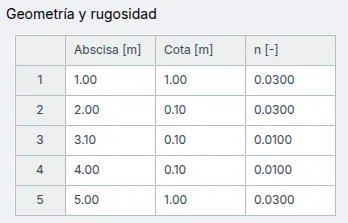
The available parameters are:
- Abscissa
- Elevation
- Manning’s n
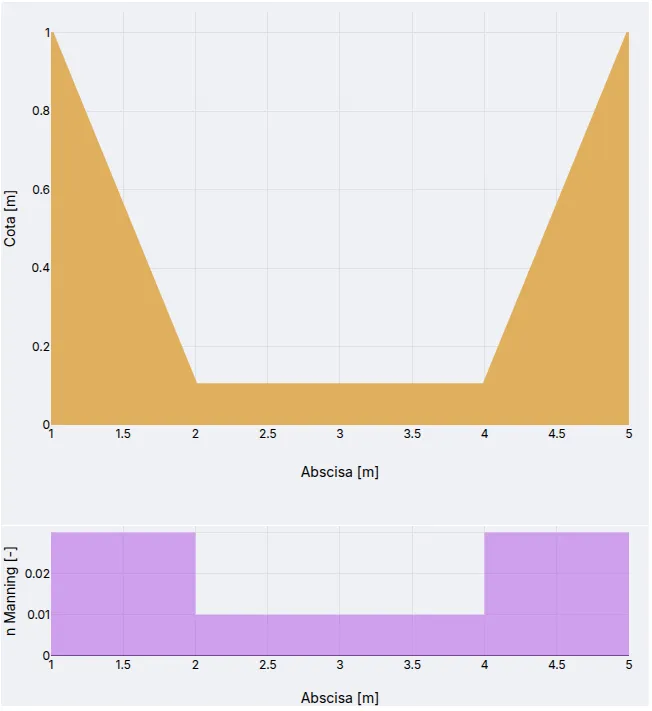
Both geometry and roughness have a visual representation.
Additional parameters
Section titled “Additional parameters”Additional parameters complete the hydraulic model.
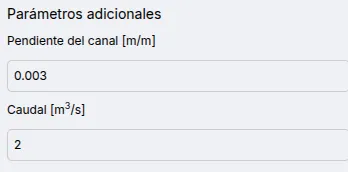
Available parameters:
- Channel slope
- Flow rate
Results
Section titled “Results”Full section
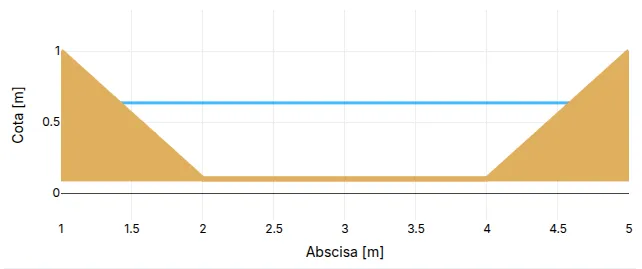
Section titled “Full section”Displays the filled cross-section.
Hydraulic parameters
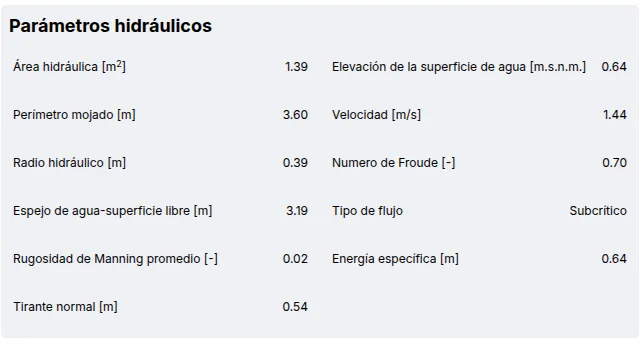
Section titled “Hydraulic parameters”Displays the hydraulic parameters of the section.
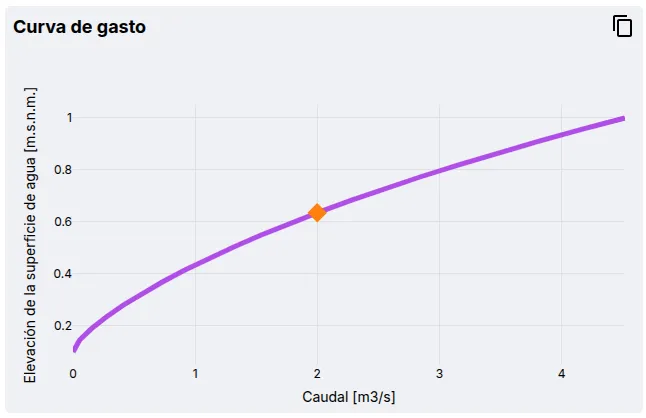
Rating curve
Section titled “Rating curve”Displays the section’s rating curve, with an option to copy the values using the button.